
50 Sprint Retrospective Questions (Plus 4 Templates)
50 sprint retrospective questions sorted by stage of the meeting, four ready-to-use retro templates, and a way to collect honest answers before the session.

12 minutes
Table of contents
Sprint retrospective questions
Most retrospectives that go stale die the same way. The team answers "What went well?" and "What didn't?" every two weeks, the same three complaints show up on the board, someone promises to look into the build pipeline, and nothing changes. After a few months people stop bringing anything real to the meeting.
Better questions won't fix a team on their own, but they do change the conversation. A question about a specific moment in the sprint gets a specific answer. A question about what the team will try next gets an action instead of a sigh.
Below are 50 retrospective questions grouped by the stage of the meeting where they work best, four templates you can run as they are, and a simple way to collect answers before the session so the meeting starts with material instead of silence.
What a retrospective is for
The Scrum Guide is short on the subject. The retrospective exists "to plan ways to increase quality and effectiveness." The team looks back at how the sprint went for its people, interactions, processes, tools and Definition of Done, talks about what went well and what problems came up, and picks the changes that will help most. The most useful improvements can go straight into the next sprint's backlog.
Two things follow from that. First, a retro is about how the team works, not about grading the work. Second, a retro that ends without a change the team will actually make has missed its purpose, however good the conversation felt.
Retros aren't only for Scrum teams, either. A marketing team after a launch, a support team after a rough month, or an ops team after an incident can all use the same questions.
Before the first question: make it safe to answer
Many facilitators open with the Retrospective Prime Directive from Norm Kerth's book Project Retrospectives: A Handbook for Team Reviews. In short, it asks everyone to assume that each person did the best job they could with what they knew, their skills, the resources they had and the situation at the time. You can read the full wording on the Retrospective Wiki.
Reading it out at the start can feel formal. The idea behind it is practical: if people expect blame, they'll talk about the coffee machine instead of the deployment that went wrong. A few habits help:
- Talk about events and decisions, not personalities. "The spec changed twice after we started" works. "Product keeps changing their mind" doesn't.
- Let the person who facilitates stay neutral. If that's always the team lead, rotate it.
- Collect the first round of answers in writing, and anonymously if trust is still being built. Quieter people get the same voice as the loudest person in the room.
Opening questions to check in
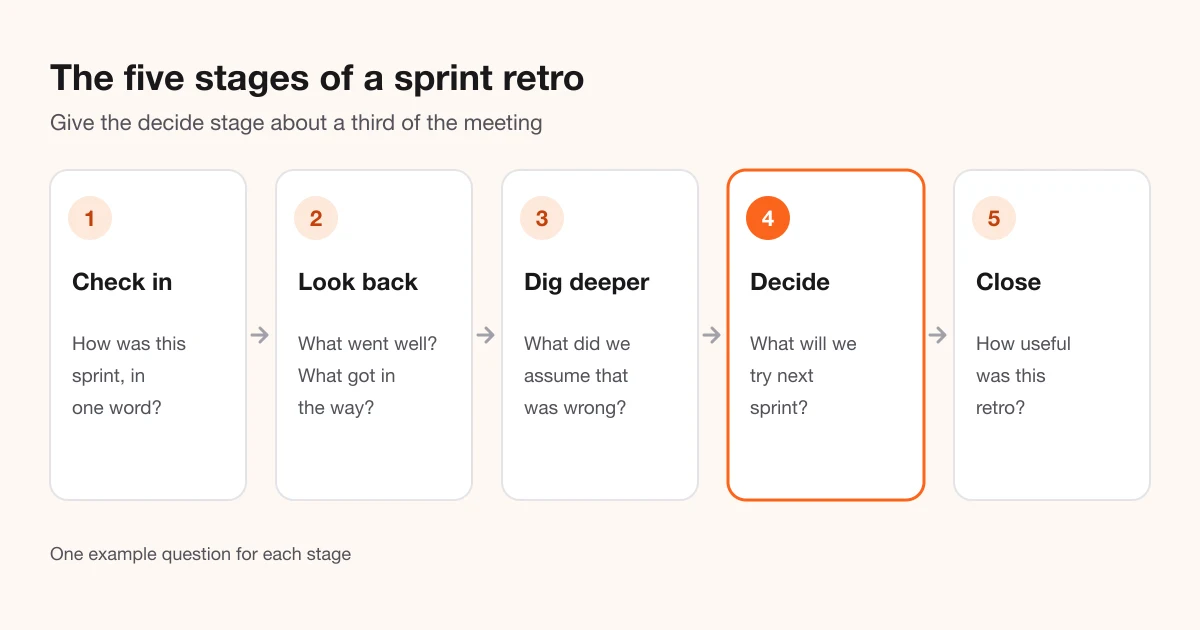
A short check-in gets everyone talking in the first five minutes and tells the facilitator what mood the room is in. Pick one.
- In one word, how was this sprint for you?
- On a scale from 1 to 5, how do you feel about what we delivered?
- If this sprint were a weather forecast, what would it be?
- What is one thing from this sprint you're glad is over?
- What's your energy level right now compared with the start of the sprint?
- What's one thing you'd like us to talk about today?
The scale questions are useful because you can compare them from sprint to sprint. If the average drops three retros in a row, that's worth naming even if nobody has complained.
Questions about what went well
Teams often rush this part to get to the problems. Spend a few minutes on it anyway: knowing what worked is how you keep doing it on purpose.
- What went well this sprint?
- What are you proud of from the last two weeks?
- Which decision turned out better than expected?
- Who helped you this sprint, and how?
- What did we do this time that we should keep doing?
- Which part of our process felt easy?
- What did we finish that you thought we wouldn't?
Question 10 tends to produce the warmest moment of the meeting. It also surfaces invisible work, like the colleague who spent an afternoon unblocking someone else's ticket.
Questions about what got in the way
These get to the problems. Phrase them around events rather than people, and ask for examples.
- What could we improve?
- Where did you get stuck or wait on something?
- What surprised you, in a bad way?
- What took longer than it should have, and why?
- What did you work around instead of fixing?
- Was there a moment you felt unsure what to work on?
- What would you warn a new teammate about after this sprint?
Question 20 is a gentle way to hear about problems people have stopped noticing. Someone who has lived with a flaky test suite for a year might not mention it as a problem, but they'll warn a new hire about it.
Questions that get to the root cause
Once a problem is on the board, these help the team understand it before jumping to a fix.
- When did we first notice this problem?
- What did we assume at the start that turned out to be wrong?
- Is this the first time it happened, or is it a pattern?
- What would have had to be true for this not to happen?
- Which part of this was in our control, and which wasn't?
- If we asked "why?" five times, where would we end up?
Question 22 comes almost straight from the Scrum Guide, which asks teams to identify the assumptions that led them astray. It's often the most useful question in the whole list, because wrong assumptions repeat until someone names them.
Questions about collaboration and communication
The work is only half of a sprint. These questions look at how people worked together.
- Did you have the information you needed when you needed it?
- Where did a handoff go wrong, or go surprisingly well?
- Was there a conversation that should have happened earlier?
- Did anyone feel left out of a decision that affected their work?
- How well did we work with people outside the team this sprint?
- Did our meetings help you this sprint, or get in the way?
- Is there something you'd like more of from the rest of the team?
If question 32 keeps coming up, it may be worth running a separate meeting feedback poll for a few weeks. A short rating after each meeting tells you which ones people value and which ones they only sit through.
Questions about process and tools
- Which tool or process slowed us down?
- Did our estimates hold up? Where were they furthest off?
- Did our Definition of Done catch everything it should have?
- What part of our workflow would you change if it were up to you alone?
- Is there anything we do just because we've always done it?
- Which bug or incident could have been prevented, and how?
Questions that turn into action items
This is where most retros fall short. Give these questions real time, ideally a third of the meeting.
- What should we try next sprint?
- If we could change only one thing, what would have the biggest impact?
- What would we need to stop doing to make room for that?
- Who will own this, and how will we know it worked?
- What's the smallest version of this change we could try this sprint?
- Which action items from the last retro did we finish, and which did we drop?
- Is there anything we need to escalate outside the team?
Question 45 belongs at the start of every action discussion. Reviewing last sprint's actions first shows the team that the retro leads somewhere, and it stops the same item from being written down sprint after sprint.
Questions to close the retro
- How useful was this retro, from 1 to 5?
- What should we change about how we run retros?
- What's one thing you're taking away from today?
- Is there anything you didn't get to say?
Question 50 matters more than it looks. Ask it last, and give people a way to answer later in writing if they didn't want to say it in the room.
4 retrospective templates you can run today
Changing the format every few sprints keeps the meeting from going stale. These four are well known, quick to explain and need nothing more than a board or a short survey.
1. What went well, what could improve, what to try next
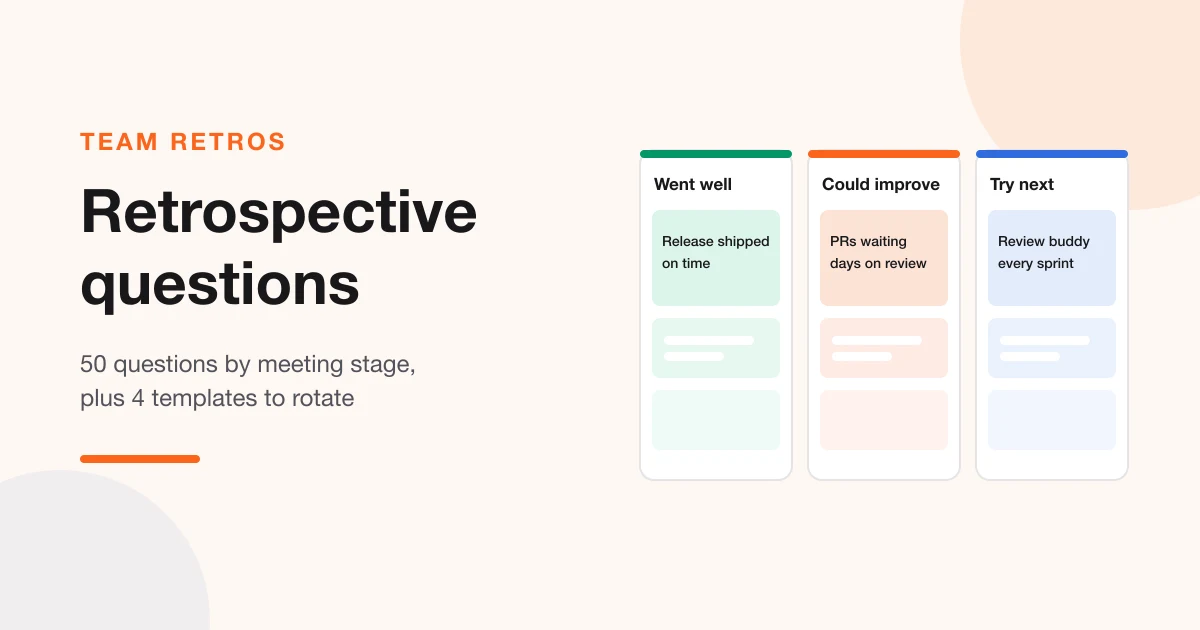
The classic, and still the best default. Three questions: "What went well?", "What could we improve?" and "What should we try next?" It works for any team and any length of sprint, and the third question forces the conversation toward action.
2. Start, stop, continue
Ask the team what to start doing, what to stop doing and what to continue. It's more direct than the classic format and works well when the team already knows what's wrong and needs to decide what to change. Expect the "stop" column to be the busiest.
3. The 4Ls: liked, learned, lacked, longed for
Four prompts: what did you like, what did you learn, what was lacking, and what did you long for? The "learned" column makes this a good fit after a sprint with a new technology, a new client or a new teammate. The "longed for" column often brings up wishes people wouldn't frame as complaints.
4. Sailboat
Draw a boat heading to an island. The island is the team's goal, the wind is what pushed the team forward, anchors are what held it back, and rocks are the risks ahead. It's visual and a little playful, which helps when energy is low, and the rocks prompt surfaces risks that the other formats miss.
A fifth option for a sprint that went badly is mad, sad, glad: what made you frustrated, what disappointed you, what made you happy. It gives people permission to talk about feelings, which is sometimes exactly what a tough sprint needs. Use it sparingly and make sure the meeting still ends with actions.
Collect retro answers in Slack before the meeting
Silent brainstorming at the start of a retro eats ten minutes, and people who think best in writing rarely get their best ideas out under a timer. Collecting answers a day before the meeting gives everyone time to think, and it lets the facilitator group answers into themes before anyone walks into the room.
Polls & Surveys has a built-in Team retrospective template with the three classic questions as free-text answers: "What went well?", "What could we improve?" and "What should we try next?" A typical setup looks like this:
-
Start from the template. Type
/pollin the team channel, choose the Team retrospective template, and swap or add questions from the list above if you want a different focus this sprint. -
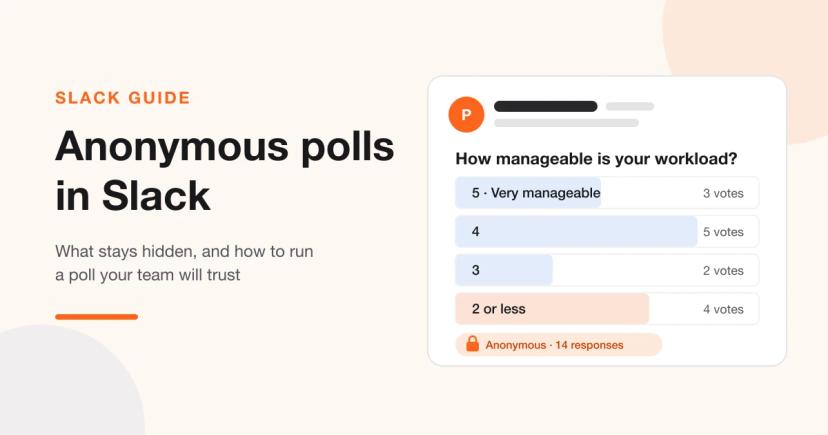
Make it anonymous if trust is still building. With anonymous responses on, no one, including poll admins and workspace admins, can see who wrote what. Our guide to anonymous polls in Slack explains when that helps and where its limits are.
-
Repeat it every sprint. Set the poll to repeat every two weeks so it lands on the same day before each retro. Each run keeps its own results, so you can look back at what the team said three sprints ago.
-
Keep results for the facilitator until the meeting. Results can be visible to everyone live, only after the poll closes, or only to poll administrators. Set a closing time just before the meeting and share the grouped answers on screen.
On the Unlimited plan you can also send the survey as a private message to each team member, remind people who haven't answered and export the answers as a CSV.
Tips for turning answers into action
Pick no more than three actions. Teams that commit to eight improvements finish none of them. Choose the one or two changes with the biggest effect and do them properly.
Give every action an owner and a check. "Improve code reviews" is a wish. "Ana sets up review reminders for PRs open more than a day; we check the average review time at the next retro" is an action.
Put actions where the work lives. The Scrum Guide notes that the most useful improvements can be added to the next sprint's backlog. An action on a sticky note in a retro board gets forgotten. An action on the backlog gets planned.
Keep the timebox. The Scrum Guide caps the retrospective at three hours for a one-month sprint and notes it's usually shorter for shorter sprints. Collecting answers beforehand is the easiest way to keep a two-week retro under an hour.
Rotate the facilitator. When the same person always runs the retro, the meeting takes on their habits and blind spots. A simple rotation spreads the skill across the team, and a tool like our Round-robin Rotation app can announce the next facilitator in Slack each sprint so nobody has to remember whose turn it is.
Measure the mood between retros too. A retro every two weeks catches problems late. A short weekly check-in with two or three pulse survey questions shows you when something is slipping before it becomes the main topic of the next retro.
Frequently asked questions
What are the three basic retrospective questions?
The most common set is: What went well? What could we improve? What should we try next? They cover the past sprint, the problems worth fixing and the changes the team will make, and they work for almost any team.
How long should a sprint retrospective be?
The Scrum Guide timeboxes the Sprint Retrospective to a maximum of three hours for a one-month sprint and notes that it is usually shorter for shorter sprints. Many two-week teams find 45 to 90 minutes enough, especially if answers are collected before the meeting.
Should retrospective feedback be anonymous?
Collecting the first round of answers anonymously helps when the team is new, when trust is low or when the sprint went badly. The discussion in the meeting is not anonymous, but starting from anonymous input makes it easier to raise uncomfortable topics.
How often should you change the retrospective format?
There's no fixed rule. Many teams keep one default format and switch to something different every few sprints, or whenever the meeting starts to feel routine. Changing the questions is often enough; you don't need a new format every time.
Related articles
Written by
Keep reading


 How to Run an Anonymous Poll in Slack
Nov 24, 2026