
How to Run an Anonymous Poll in Slack
What makes a Slack poll truly anonymous, which built-in options aren't, how to set one up people trust, and 15 questions that get more honest answers.

10 minutes
Table of contents
How to run an anonymous poll in Slack
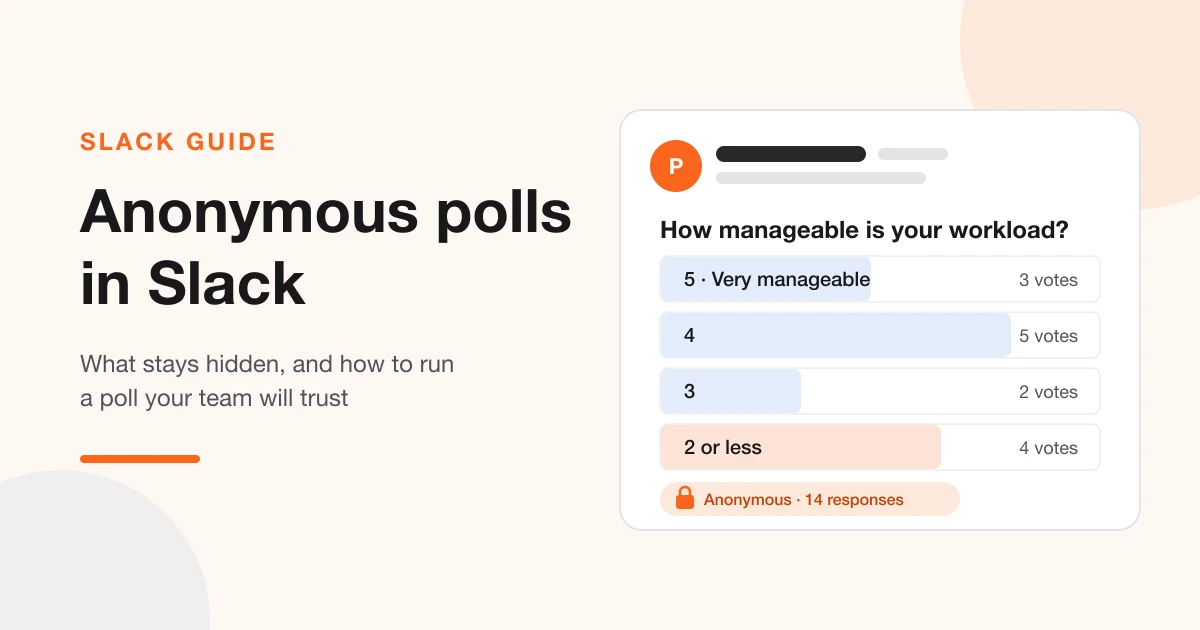
Ask "How manageable is your workload right now?" in a team channel with three emoji options, and you will get answers. Whether they're true is another matter. Everyone can see who clicked what, the manager is in the channel, and the two people who are quietly drowning will probably pick the middle option and move on.
Take the names away and the same question starts telling you something. That is the whole point of an anonymous poll, and it only works if people believe the anonymity is real.
This guide covers what anonymous means in practice, which Slack options look private but aren't, how to set up a poll your team will trust, and 15 questions that get more honest answers when nobody's name is attached.
When anonymity helps, and when names are better
Anonymity is useful when the honest answer carries a small social cost. Telling your lead that the weekly sync is a waste of time, admitting you're close to burnout, or saying the new process is worse than the old one are all things people soften when their name is on them. Questions like these belong in an anonymous poll:
- Workload, stress and how sustainable the pace feels
- Feedback on meetings, processes and tools the team has to live with
- Reactions to change: a reorg, a new policy, a return-to-office plan
- How people feel about leadership and direction
- Satisfaction measures such as eNPS, where the score is only useful if it's candid
- Retrospective questions about how the team works together
Names are better for logistics and anything you need to act on person by person. If you're counting who comes to the team lunch, planning office days or asking who can cover the release on Friday, an anonymous poll just leaves you with a number and no way to follow up. The same goes for decisions where people should own their position, like choosing between two designs after a discussion.
A simple test: if you'd need to message individuals after seeing the results, keep the names. If you only need the overall picture, take them away.
Which Slack options are actually anonymous
Slack doesn't have an anonymous poll feature of its own, and a few common workarounds are less private than they seem.
Emoji polls aren't anonymous. Slack's help center notes that you can hover over a reaction to see who added it. Anyone in the channel can check every vote.
Workflow Builder forms aren't anonymous either. Each submission is linked to the person who sent it, and whoever manages the workflow can see and download the responses. Forms are good for requests and sign-ups, less so for candid feedback.
"DM me your honest thoughts" is the opposite of anonymous. The person asking knows exactly who said what. It's also worth knowing that on Business+ and Enterprise plans, workspace owners can apply to export private channels and direct messages, so a DM isn't a private space in every workspace.
Anonymous message apps hide who posted a message. They can work as a suggestion box, but you get a stream of comments rather than a tally, and nothing stops one person from posting the same opinion five times.
For a real anonymous poll, with one answer per person and results you can count, you need a polling app with an anonymous mode. Our guide on how to create a poll in Slack compares the three main methods if you're starting from scratch.
What a truly anonymous poll should hide
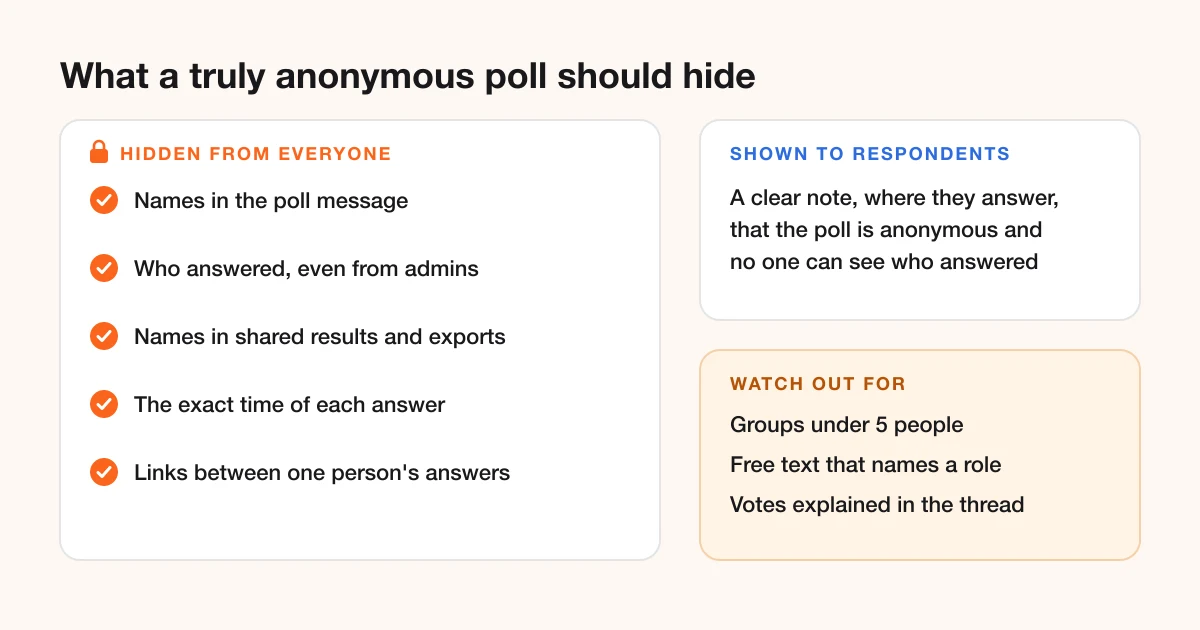
"Anonymous" on a settings screen can mean very different things. Before you promise your team their answers are private, check how the app behaves in each of these places.
-
The poll message. No names under the options and no list of voters, even a short one.
-
Admins. This is the question people actually worry about. Can the person who created the poll see who answered? Can a workspace admin? If the answer is "only admins can", the poll is confidential, not anonymous, and you should describe it that way.
-
Results pages, shared links and exports. Names hidden in Slack but sitting in a CSV column don't count.
-
Timing. If results show the exact time of each answer, and you saw a colleague post "done!" in the channel at 10:42, you can work out which answer was theirs. Dates are fine. Minutes are risky.
-
Linked answers. In a survey with several questions, a list that keeps one person's answers together lets a reader piece together a profile: the low workload score, the comment about the deadline, the "Not likely" on recommending the company.
-
The respondent's view. People should see a clear note that the poll is anonymous where they answer, not just trust that whoever created it chose the right setting.
One thing is normal and not a problem: to allow one answer per person, the app has to know internally that you've already answered. What matters is that this link never shows up anywhere a person can see it.
The limits no tool can fix
Even a well-built anonymous poll can leak identities through the way it's used. These are the common ones.
Small groups. In a team of four, if one answer says "I'm seriously considering leaving," everyone will start guessing, and they'll often guess right. Keep anonymous polls to groups of five or more, and don't break the results down by team when some teams are tiny.
Free-text answers. "As the only designer on this project..." gives the game away. Write open questions that invite ideas rather than personal stories, for example "What is one thing we should change?" instead of "Describe your experience this quarter." It also helps to remind people, in the poll message, that detailed context can make an answer recognizable.
Threads. A reply under the poll is a normal Slack message with a name on it. If someone writes "I voted no because of the on-call rota," the anonymity is gone for that person. Say up front that the thread is for questions about the poll, not for explaining votes.
Live results in a quiet channel. If results update in real time and only one person has said they voted, the first bar that moves is theirs. For sensitive questions, show results after the poll closes.
The reaction afterwards. The fastest way to end honest feedback in a team is a manager asking "Who wrote this?" in the next meeting. Even a joking guess tells everyone that the poll is a place where people get identified.
How to set up an anonymous poll with Polls & Surveys
Polls & Surveys is our app for polls and surveys in Slack. Here is how an anonymous poll comes together, and what the app does behind the scenes.
1. Type /poll in the channel where it should appear. The builder opens with that channel selected. For several questions, use /poll survey. If you're running a regular check-in, the Team pulse and Employee NPS templates already come with anonymity switched on.
2. Turn on anonymous responses under More options. Choose "Yes · hide who answered." Names then disappear from the poll message, the web results, shared results and exports. No one, including poll admins and workspace admins, can see who answered. The app keeps an internal link only to make sure each person answers once.
3. Choose when results become visible. Results can be live, visible only to people who have answered, shown after the poll closes, or kept for poll administrators. For anything sensitive, "After the poll closes" avoids the quiet-channel problem above.
4. Pick the delivery and check the preview. Post the poll in a channel, or send it as a private message to everyone in the workspace, the members of a channel or selected people (private delivery is part of the Unlimited plan). If an anonymous poll is going to fewer than five people, the preview warns you that answers will be easy to guess even with names hidden.
When people respond, they see a note saying the poll is anonymous and that no one, including admins, can see who answered. In the results, anonymous answers show the date but not the time, and they aren't listed in the order they arrived, so one person's answers can't be matched up across questions.
If you want to ask the same thing every week or month, set the poll to repeat. Each run keeps its own results, which makes it easy to see whether things are getting better.
15 questions that work better anonymously
Use these as single polls or combine three or four into a short survey. The answer type that fits best is in brackets.
Workload and wellbeing
- "How manageable is your workload right now?" (rating: 1 Not manageable to 5 Very manageable)
- "How often did you work outside your normal hours in the last two weeks?" (one option: Never, Once or twice, Several times, Most days)
- "I can take time off without worrying about what happens while I'm away." (agreement scale)
Meetings and process
- "Which recurring meeting would you drop if you could?" (one option: list your recurring meetings plus "None, they're all useful")
- "How useful was today's meeting?" (rating, 1 to 5), followed by "What would make the next one better?" (free text)
- "The new code review process is working better than the old one." (agreement scale)
- "What slows you down most often?" (several options: waiting on reviews, unclear requirements, too many meetings, tooling, something else)
Direction and leadership
- "I understand how my work connects to the team's goals this quarter." (agreement scale)
- "I get useful feedback from my manager often enough." (agreement scale). For deeper upward feedback, our 360 feedback examples show how to phrase it.
- "How confident are you in the plan for next quarter?" (rating, 1 to 5)
Change and decisions
- "How do you feel about the proposed move to three office days a week?" (one option: Supportive, Neutral, Concerned, Strongly opposed)
- "What is your biggest question about the reorg?" (free text)
- "Was the reason for this decision explained clearly enough?" (one option: Yes, Partly, No)
Ideas and open feedback
- "What is one thing we should stop doing?" (free text)
- "How likely are you to recommend this team to a friend looking for a job?" (0 to 10), followed by "What is the main reason for your score?" (free text)
If you plan to repeat a few of these every week, our list of pulse survey questions has more statements that work well on a regular schedule.
How to share anonymous results without breaking trust
The poll is half the job. What you do with the answers decides whether people answer honestly next time.
Share the numbers with the people who answered. A short message in the thread is enough: "11 of 14 answered. Most of you find the workload manageable, but four people picked 1 or 2, which is more than last month."
Summarize free text by theme. Instead of pasting every comment, group them: "Five comments mentioned the Thursday planning meeting running long." Quote a comment directly only if nothing in it points to a person.
Say what you'll do, then do it. "We'll cut the Thursday meeting to 30 minutes for the next month and ask again" is a commitment people can check. Repeat the same question a few weeks later and share the new numbers.
Never go looking for the author. Not in a meeting, not in a one-to-one, not as a joke. If a comment worries you, respond to it in public as if anyone could have written it, and make it easy for the person to come to you if they want to.
Frequently asked questions
Can you make an anonymous poll in Slack without an app?
No. Anyone can hover over an emoji reaction to see who added it, and Workflow Builder form responses are linked to the person who submitted them. For anonymous answers you need a polling app with an anonymous mode.
Can Slack admins see who answered an anonymous poll?
It depends on the app, so check before you promise anonymity. In Polls & Surveys, no one, including poll admins and workspace admins, can see who answered an anonymous poll, and names are also hidden in shared results and exports.
Can I make a poll anonymous after people have answered?
Treat anonymity as a decision you make before publishing. People answered under one promise, and changing it afterwards breaks that promise whichever way you go. If you need a different setting, run a fresh poll.
How many people do you need for an anonymous poll?
Aim for at least five. With fewer, answers are easy to guess even when names are hidden. Polls & Surveys warns you in the preview when an anonymous poll is going to fewer than five people.
Related articles
Written by
Keep reading
 How to Create a Poll in Slack: 3 Ways That Work
Nov 23, 2026